
Mastering Google Business Profile with Gemini AI
In Short
What This Integration Changes
Google Business Profile with Gemini AI gives single-location business owners a practical way to manage local visibility without spending hours inside analytics screens, review queues, and profile settings. Gemini can read your verified listing context, analyse your customer feedback, and help you make clearer decisions about what to improve next.
For many small businesses, the Google Business Profile is the digital storefront customers see before they call, ask for directions, visit your website, or compare you with a competitor. When that profile is incomplete, stale, or slow to respond to reviews, you lose visibility at the exact moment people are ready to act.
The Gemini connection reduces some of the manual friction. You no longer need to copy profile data into a separate AI chat and explain your business from scratch every time. Once connected, Gemini can work from your profile details, reviews, search performance, and operating information to produce more specific recommendations.
That does not mean every task should be automated. The best use of Gemini here is as a guided assistant: fast enough to surface patterns you might miss, but still reviewed by a human before anything important goes live under your business name.
TL;DR: Connect the right profile, make sure the @Google Business Profile mention becomes an active selected chip, then work through the first audit checklist. Use Gemini to read, summarise, and draft faster, but keep a human review step before anything public changes.
Bonus worksheet: I have also put the prompts and audit flow into a Google Sheet you can copy or download. Open it, then use File > Make a copy to keep your own editable version, or File > Download if you prefer to work offline.
Want to see what the export looks like? Here is one of the live Gemini audit outputs exported to Google Docs, shared as an example only.
Tiny disclaimer: some supporting assets and prompt ideas were prepared with AI assistance. AI can make mistakes, so treat this as a practical starting point and check anything important before applying it to a live profile.
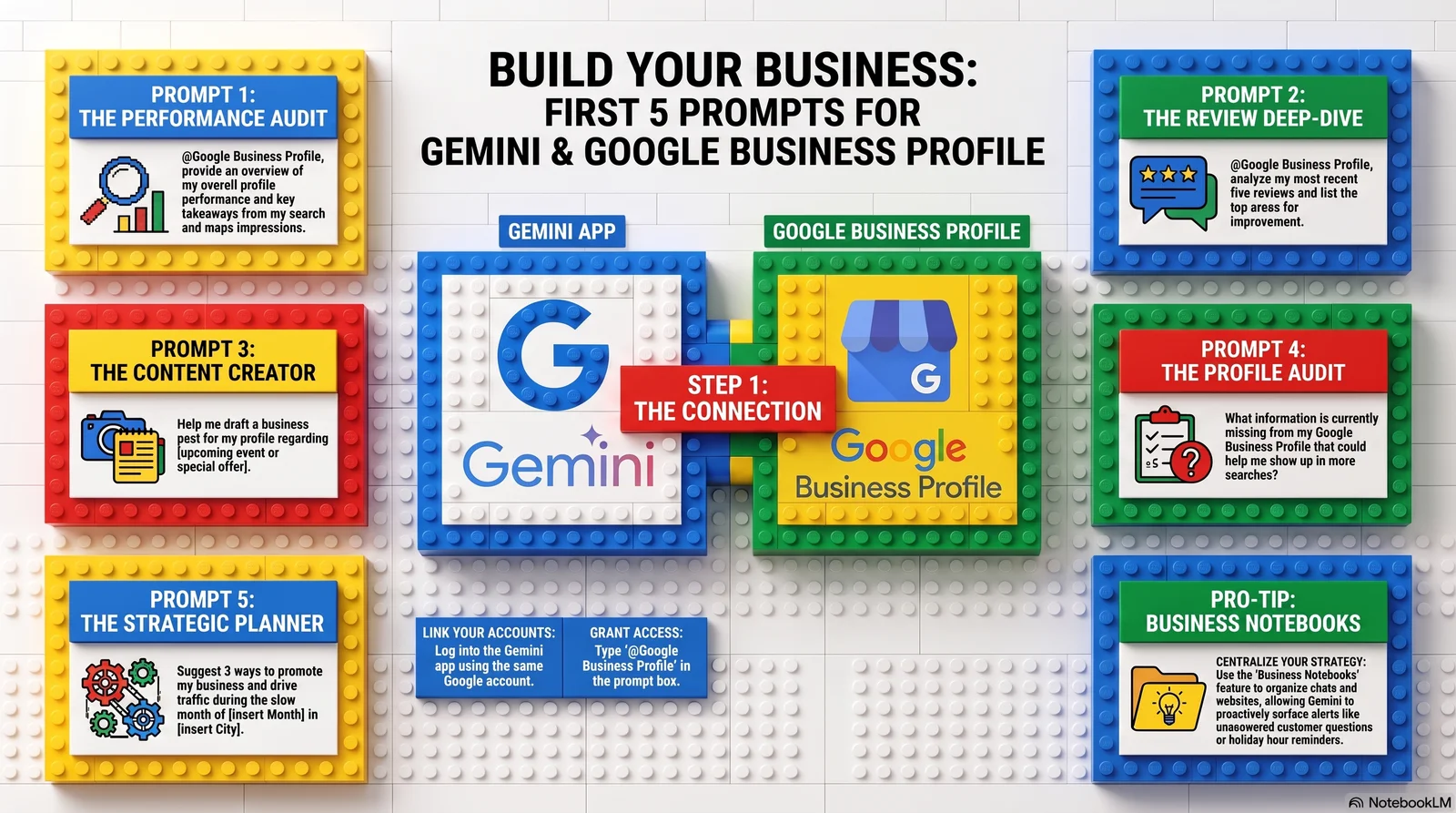
Screenshot showing Gemini with a Google Business Profile connected.
How to Connect Gemini to Google Business Profile
The setup is designed for business owners, not developers. You do not need an API key, a custom integration, or a separate reporting tool. The important part is account alignment.
- Log into Gemini using the exact Google account that owns or manages your verified Google Business Profile. If you use separate personal and business Google accounts, choose the account with profile ownership or manager access.
- Type
@Google Business Profileinto the Gemini prompt box and send it. Gemini should show a permission screen explaining which profile data it can access, including listing details, reviews, performance information, and operating metrics. Review the permission request, then continue if it matches the profile you want to connect.
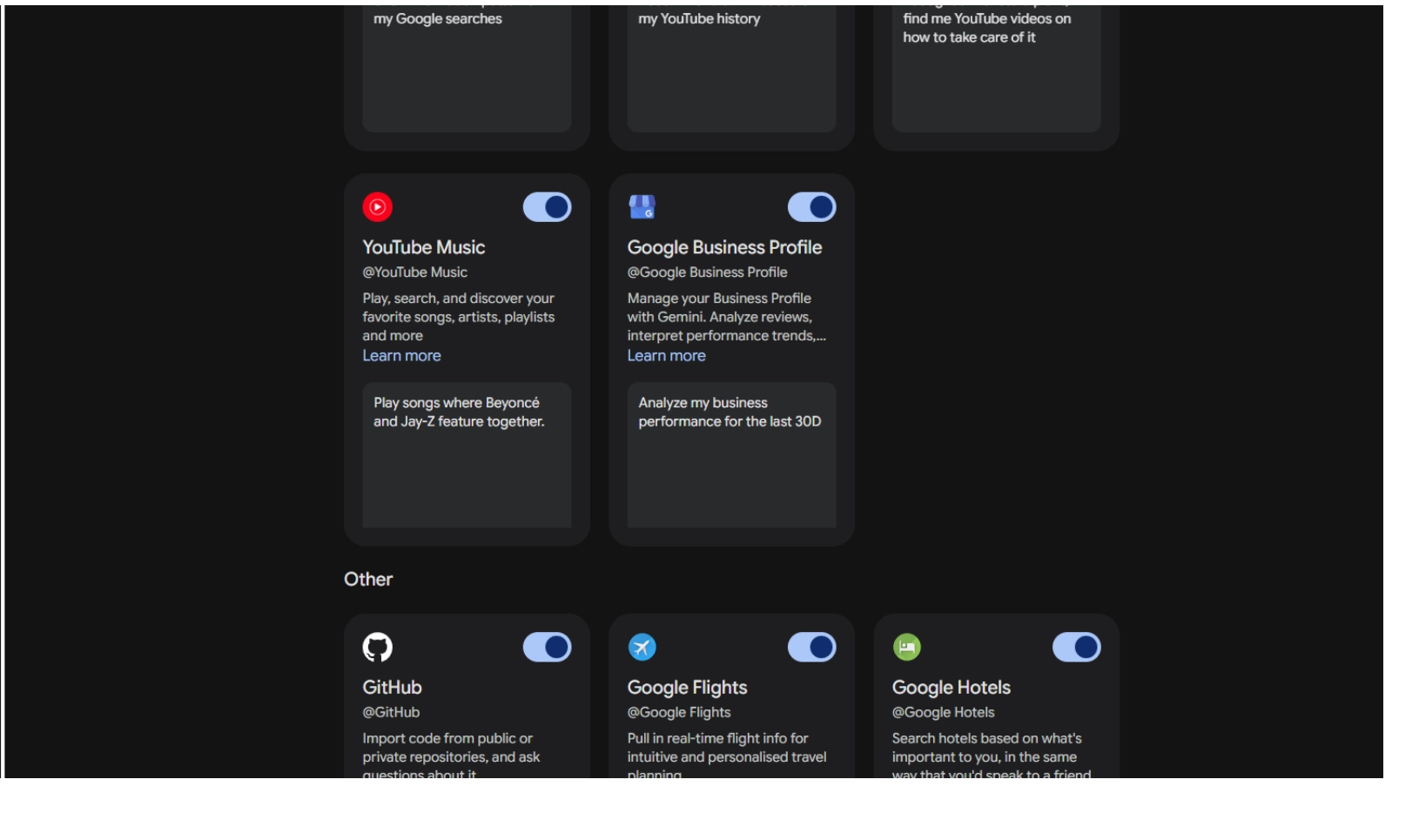
Screenshot of the actual Gemini permission overlay after typing "@Google Business Profile", showing what data access it's requesting.
Once the connection is approved, Gemini can answer questions using your real business context instead of generic local SEO advice.
@Google Business Profile as plain text inside a full prompt. Type @, select Google Business Profile from the connected-app menu, then paste the rest of the prompt after the active chip. If Gemini gives a generic answer, start a new chat and select the chip again.Four Quick-Win Prompts to Run First
Start with tasks that already sit inside the normal Google Business Profile workflow: performance review, review management, profile completeness, and urgent updates. These prompts give Gemini a clear job and make the output easier to check.
For each prompt below, the @Google Business Profile mention is included so the target is clear. When you run it, make sure that mention becomes an active selected chip in Gemini: type @, choose Google Business Profile from the menu, then paste the rest of the prompt. If you copy the full prompt, check that Gemini has converted the @ mention into the connected app before you send it.
Use this when you want a plain-English summary of what your profile data is telling you. The goal is not just to see impressions, but to understand which searches, Maps actions, calls, direction requests, or website clicks are creating real customer movement.
Screenshot of Gemini's response to the performance-audit prompt.
@Google Business Profile, look at my most recent five reviews. Summarize any recurring positive sentiments or customer pain points, and then draft a warm, professional thank-you response to the latest review that references the specific details left by the customer.
Reviews influence trust, conversion, and local visibility. This prompt gives you two useful outputs: a sentiment summary across recent feedback, and a draft reply that can be edited before it is published. That second step matters. A review response should still sound like your business, not a template.
Screenshot note: the best supporting image here is the review response and manual publishing warning from around 00:11:15-00:12:15.
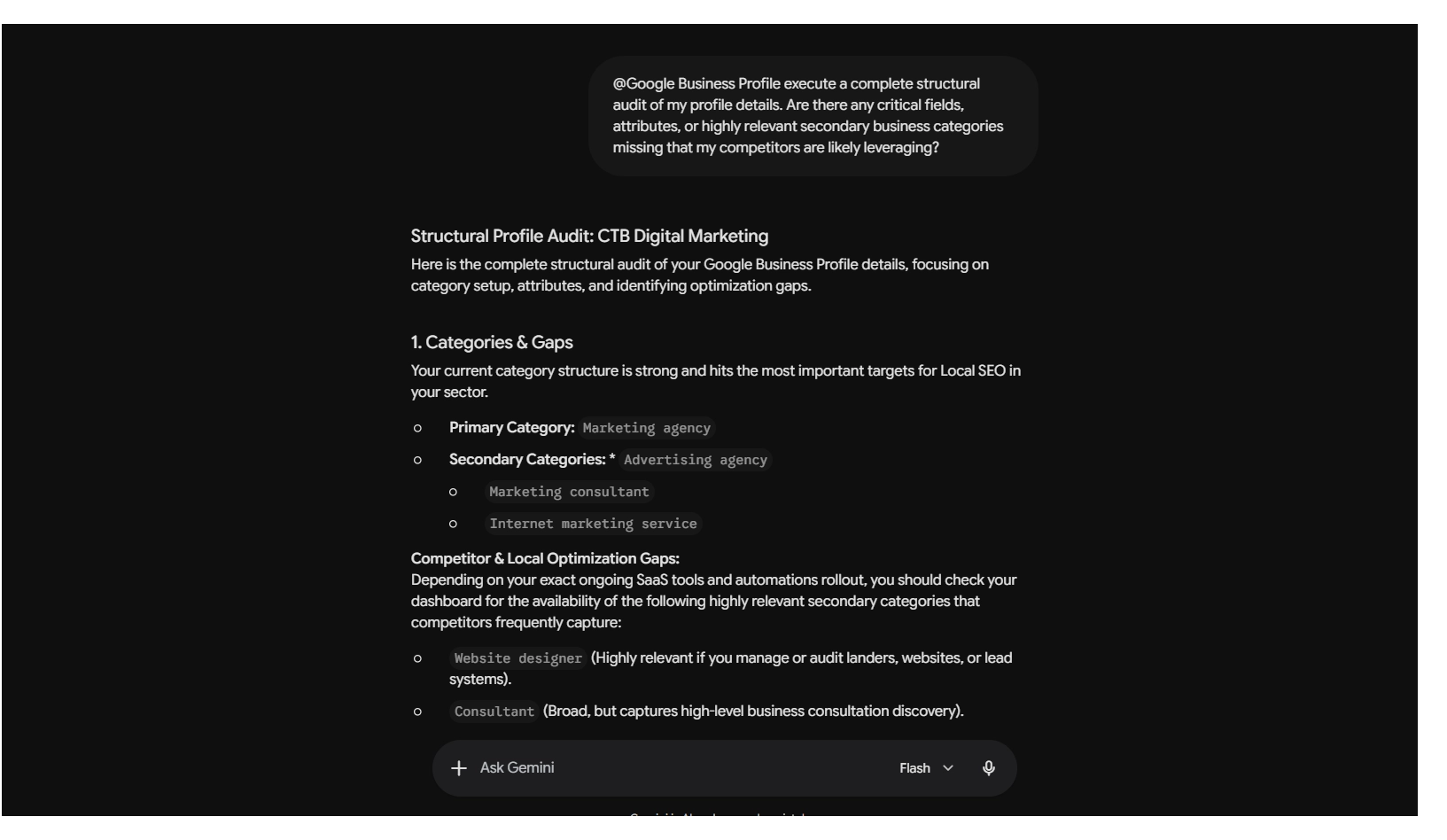
@Google Business Profile, execute a complete structural audit of my profile details. Are there any critical fields, attributes, or highly relevant secondary business categories missing that my competitors are likely leveraging?
Many owners choose one broad primary category and never revisit the rest of the profile. Gemini can help check for missing attributes, incomplete fields, and relevant secondary categories. In Google's own example, a seafood business had missed the official secondary category "Oyster Bar"; Gemini identified the gap and could update the profile after confirmation.
Screenshot note: capture the optimisation gap or services audit around 00:13:10-00:14:30, or the update confirmation flow around 00:19:00-00:21:45.
Help me draft an urgent profile post about adjusted holiday opening hours this weekend. Once it's drafted, update my profile hours to show we close at 4pm this Friday.
This is where the integration moves from analysis into action. For holiday hours, sudden closures, event posts, or time-sensitive updates, Gemini can help draft the message and adjust the profile details. Treat these changes as high-impact updates: review dates, times, and wording before confirming anything visible to customers.
For image-based posts, you may still need to use the Google Business Profile dashboard directly. Gemini can help with the wording and scheduling workflow, but do not assume every media upload path is available inside the chat.
Optional video-only screenshot: post scheduling or image-upload limitation around 00:27:30-00:29:00.
Why Human Review Still Matters
The review workflow has an important boundary: Gemini can draft a reply, but it does not publish that reply directly from the chat window. You still copy the draft, check it, adjust it, and publish it through Google Business Profile.
That is a sensible design choice. Review replies are public, permanent enough to matter, and closely tied to brand trust. A generic or inaccurate reply can make a real customer feel ignored, even if the intention was to save time.
The best practice is simple: let AI read quickly, summarise patterns, and produce a first draft. Then let a human check the facts, tone, and context before anything appears under the business name. That is the same principle we use in review strategy work: automation should support the response process, not remove accountability from it.
Business Notebooks: The Strategic Layer
The connected profile is useful for daily tasks. Business Notebooks are the strategic layer to explore next. They are designed to bring chats, website context, files, and profile insights into a single workspace so Gemini can work with more business context over time.
Based on my business profile context, reviews, and local market dynamics, develop a 3-month growth plan. Suggest specific cross-promotional partnerships with non-competing businesses in my exact zip code.
This kind of prompt moves beyond profile maintenance. It asks Gemini to connect business profile data, customer sentiment, and local market context into a practical growth plan. The output should still be reviewed, and availability may vary during rollout, but it can give an owner a structured starting point instead of a blank page.
- 7-Day Content Calendar: Ask Gemini to analyse your unique selling points and positive review themes, then draft a week of Google Business Profile posts with captions, visual ideas, and hashtags.
- Competitive Positioning: Use neutral and negative review themes to identify service gaps, recurring friction, and promises your local competitors may not be addressing well.
Business Notebooks may also surface a "Needs Your Attention" panel where available. The practical value is prioritisation: unanswered customer questions, holiday-hour reminders, and timely promotional ideas can be brought forward before they turn into missed opportunities.
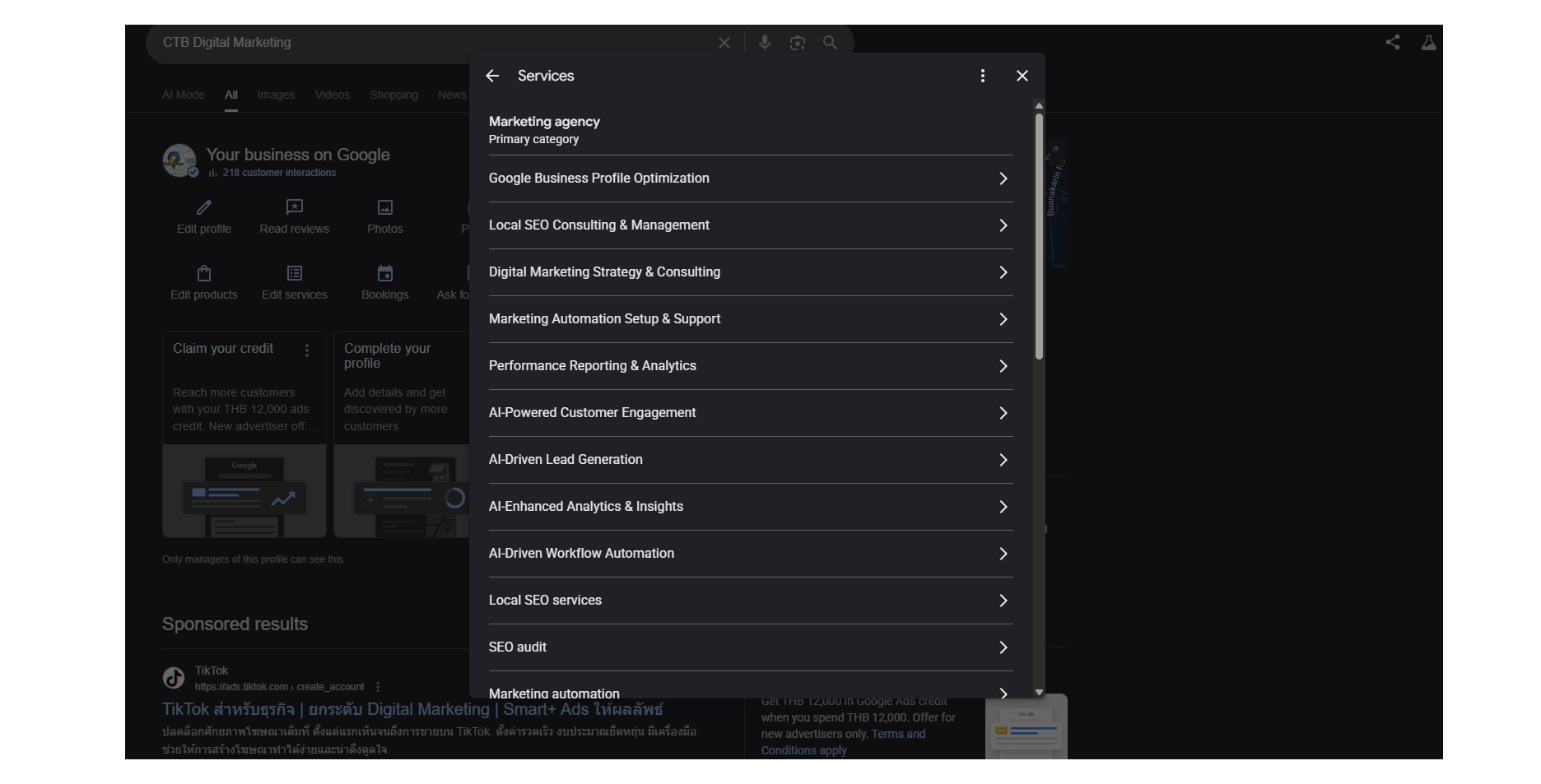
Gemini successfully updating business services within the Business Profile interface.
Current Limits and Data Handling
The direct Google Business Profile connection is currently built for single-location businesses or operators managing one verified listing. If you manage several branches, a franchise network, or a multi-location account, treat this as a feature to watch rather than a complete operating system today.
Data handling also depends on the type of Google account you use. For free consumer accounts, prompts and related data may be reviewed under Google's general terms to improve its models. For paid Google Workspace accounts, business data is treated within the organisation's Workspace controls and is not used for model training in the same way. If the profile contains sensitive operational information, check the account type before connecting or prompting with private details.
A Sensible First Audit Checklist
If you are eligible to connect a single-location profile, start with a controlled audit. The goal is not to run every possible AI workflow on day one. It is to understand the profile, fix obvious gaps, and only then move into growth planning.
- Account alignment: Confirm you are logged into Gemini with the exact Google account that owns or manages the verified profile.
- Connected-app selection: Type @, select Google Business Profile from the menu, and check that it becomes an active chip before sending prompts.
- Profile basics: Audit the business name, phone, website, address, opening hours, service area, and appointment or booking links.
- Category and services check: Review your primary category, secondary categories, and structured services for obvious missing opportunities.
- Attributes and action links: Check appointment links, online service options, menu or product fields, and other category-specific fields where relevant.
- Performance readout: Ask for a plain-English summary of Search and Maps impressions, calls, direction requests, website clicks, and other customer actions.
- Review sentiment: Get the recurring praise, pain points, and customer language from your latest reviews before writing replies.
- Review response discipline: Let Gemini draft responses, then compare each reply with the original review before publishing manually.
- Posts and time-sensitive updates: Use Gemini to draft holiday-hour notices, offers, events, or quiet-day campaigns, then confirm dates and times before posting.
- Photos and media: Identify where posts or profile sections need images, but use the Google Business Profile dashboard if Gemini cannot upload media directly.
- Business Notebook triage: Where available, check the Needs Your Attention panel for unanswered questions, holiday reminders, and urgent profile tasks.
- Weekly operating rhythm: Save useful outputs to a Doc or Business Notebook, then repeat a short weekly check-in instead of treating this as a one-off setup.
- Strategic growth prompts: Once the basics are clean, use Gemini for USP definition, a 7-day content calendar, a 3-month growth plan, review-based positioning, and local partnership ideas.
Where This Fits in Local SEO
Gemini can make Google Business Profile management faster, but it does not replace the underlying local SEO work. A profile still needs accurate categories, complete services, and a steady stream of reviews and posts backing it up. Profile optimisation on its own is not enough: it needs evidence optimisation that holds up across the wider web too.
At CTB, the right approach is simple: use AI to work smarter, keep human judgement in the loop, and make sure the profile is backed by real local evidence. If you want a second pair of eyes on your Google Business Profile before connecting it to Gemini, you can book a Google Business Profile strategy session.
Found this useful?
Share it with someone working on local visibility.
If this helped clarify how Google is changing local discovery, pass it on. You can also add us as a preferred source in Google so our updates are easier to find when we publish fresh work.
Google will open its source preferences tool. Tick the box next to CTB Digital Marketing to follow the site.